
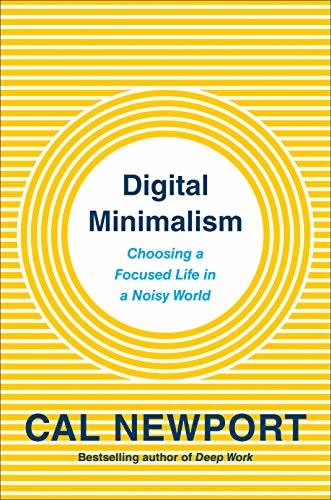
Digital Minimalism by Cal Newport
In an era dominated by constant connectivity, the concept of digital minimalism emerges as a refreshing antidote. Coined by Cal Newport, this philosophy isn’t about rejecting technology but rather about using it with greater intention and care. By implementing digital minimalism, individuals can reclaim focus, reduce anxiety, and cultivate deeper, more meaningful relationships.
The Core Principles of Digital Minimalism
Newport’s approach to digital minimalism is built on three fundamental ideas:
Clutter is Costly – Unnecessary digital distractions fragment our attention and drain our mental energy. By decluttering our digital lives, we regain control over our focus and time.
Optimization is Essential – Rather than mindlessly accepting every new app or platform, digital minimalists carefully curate their technology use to align with their values and goals.
Intentionality is Key – Digital minimalists don’t just cut back on screen time; they deliberately choose how and when to engage with technology to maximize its benefits while minimizing its drawbacks.
The 30-Day Digital Declutter
One of Newport’s most actionable strategies is the 30-day digital declutter. The idea is simple:
- Take a 30-day break from all non-essential digital tools.
- During this period, explore alternative offline activities that bring fulfillment.
- After 30 days, reintroduce only the digital tools that add value to your life.
This method serves as a reset, allowing individuals to assess which technologies truly enhance their lives rather than simply consuming their time.
The Benefits of Digital Minimalism
Those who embrace digital minimalism often report:
- Improved Focus – With fewer distractions, deep work and meaningful projects become easier to accomplish.
- Reduced Anxiety – Less exposure to social media and endless notifications results in a calmer, more present mindset.
- Richer Relationships – By prioritizing face-to-face interactions, digital minimalists cultivate stronger and more meaningful personal connections.
- Increased Productivity – Fewer digital distractions translate into higher efficiency and greater creative output.
Practical Steps to Get Started
If you’re ready to experiment with digital minimalism, here are some simple steps to begin:
- Audit Your Digital Life – Identify which apps, platforms, and devices are consuming the most time without offering meaningful benefits.
- Set Screen Time Limits – Use built-in tools on your phone or computer to cap the amount of time spent on certain apps.
- Establish Tech-Free Zones – Designate areas like the bedroom or dining table as screen-free spaces.
- Prioritize Analog Activities – Replace digital distractions with books, hobbies, and in-person interactions.
- Schedule “Offline” Hours – Set intentional times during the day when you completely disconnect from digital devices.
Final Thoughts
Digital minimalism is not about rejecting technology altogether —it’s about using it in a way that enhances rather than diminishes our quality of life. By taking a more mindful approach to our digital habits, we can reclaim our time, improve our well-being, and refocus on what truly matters.